Intelline Performance
Fusion Post Processor - Mazak Integrex i250-HS
Fusion Post Processor - Mazak Integrex i250-HS
Total Price With Options
Couldn't load pickup availability
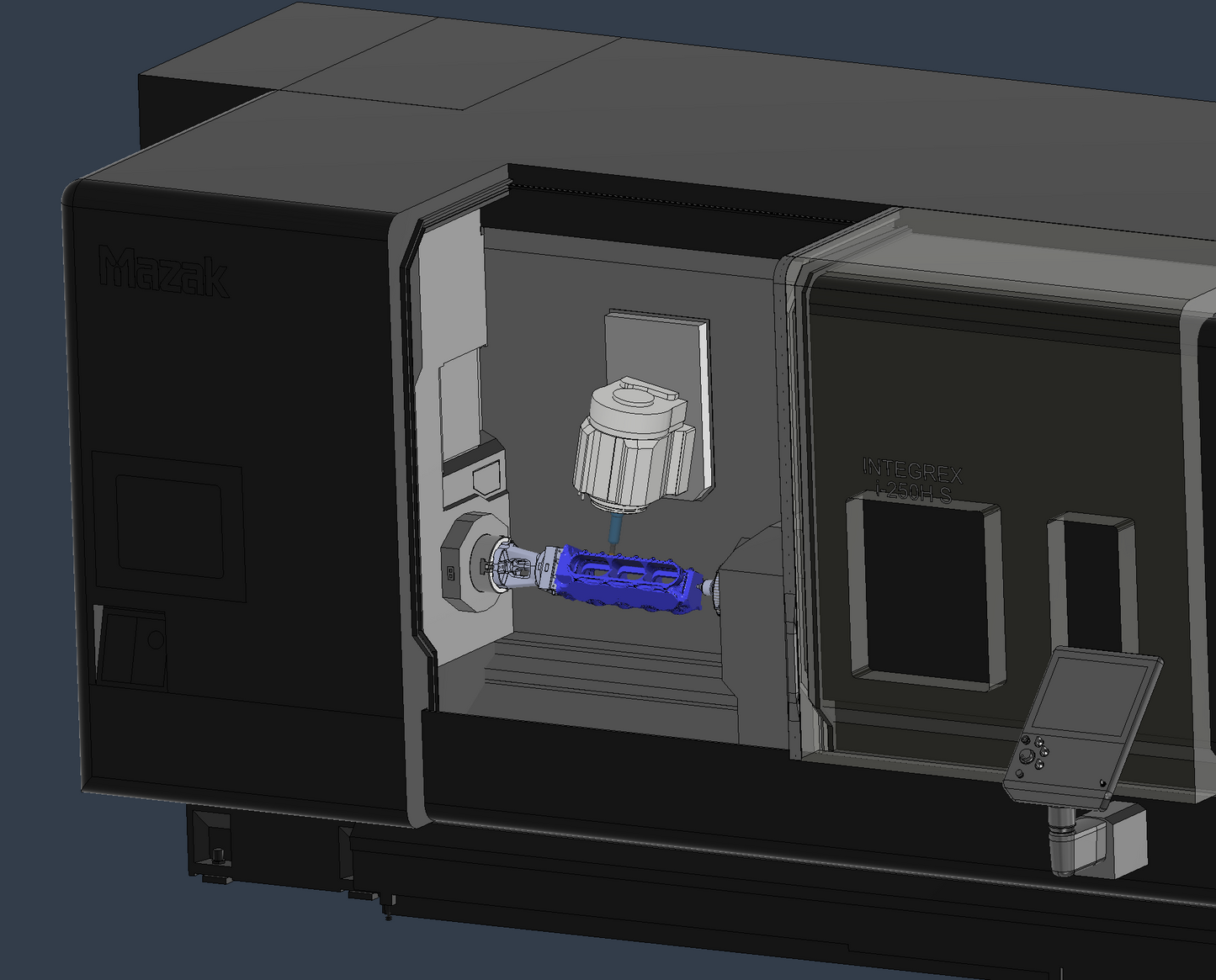
We made substantial modifications to a default i200s post processor, and configured our own machine model for our i250 HS machine, to allow for machine simulation within fusion, and full multi-axis milling programs on either head. We use this post and machine model every day, and have tested it with many programs and parts, but we cannot guarantee there are no bugs. If we discover any issues and update the post, we will notify and send you the latest version. Post processor modification is not our primary business - but we had a hard time finding support for this machine with simulation in fusion, and figure the many months of edits and testing we put into making a decent post processor would be helpful to other shops running this machine (without having to shell out thousands for someone else to make you a post). If you find issues or have suggestions for improvement, please let us know.
- Allows for machine simulation in Fusion (NOTE: the setup must be set to milling only to enable machine simulation. Fusion simply does not support mill-turn machine model simulation).
- At B0 (milling parallel to the Z-axis) the movements will automatically be posted in polar interpolation format, which fusion doesn't show in simulation. I have it configured this way out of preference and because I often run large diameter parts that would otherwise run out of Y-axis travel.
- Head 1 or Head 2 selection in the posted code is done in the fusion setup, using G54 for head 1 and G55 for head 2. The M-codes and movements for head 1 or 2 will be posted accordingly.
- I have not thoroughly tested turning features or part transfers (or much of anything in a mill-turn setup), as I always do turning and part transfers in Mazatrol, with sub EIA programs for all milling. Turning should work fine, but again, not thoroughly tested, so use cautiously.
- Check your tool orientation carefully in each toolpath. When posting G-code, do a search for negative B values, which usually means the tool orientation is flipped. Sometimes this just needs the toolpath in fusion to be regenerated with no changes, in some cases the tool orientation was defined with a different method from previous setups, causing the tool to be flipped when the path is translated to G-code.
- The machine model is detailed, including detailed Kitagawa B208 chucks. I find it helpful to see the Jaw orientation as it would be at C0, to verify position of the part. I'm not sure if the C0 position is different on different machines, so please be sure to verify this and let me know if adjustments are needed.
Share